
- How to Play
- Personalities
- Download
- Purchase
- Spiteful Shop
- Spite Fans
- About
- SpiteNET
Software Home
SpiteNET:
Spite and Malice
The card game with an attitude,
is now bringing that attitude to the Internet...
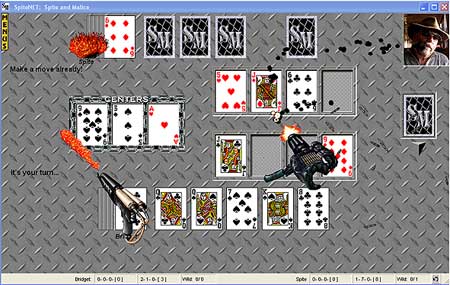
Your favorite card game can now be played against a human opponent through your Internet connection!
- No special site to go to.
- No game play fees.
- Just go online and connect your game to a friend's game!
Chatting with your opponent(s) How to send your comments, pictures and sounds into your opponent's game
Spite and Malice can be easily played by 2-4 players through the Internet or a network/LAN connection (TCP/IP protocol). It’s easy to connect, just use your normal way of getting online and start up the game!
To play Spite and Malice over the Internet, one player acts as the HOST and the other(s) as the REMOTE.
The game will provide the Host with his/her IP ADDRESS so that the Host can give that number to the waiting player(s) and you can connect your games.
To begin an Internet game both players need to establish initial contact. You can use Microsoft Messenger, AOL Instant Messenger, ICQ, IRC, Facebook Chat, etc., any “Chat” application, or if absolutely necessary – use email or a phone line! This contact is only for the purpose of passing along the Host’s IP ADDRESS to the Remote player.
Start up the communication program you’ll be using to make the initial contact with each other and decide on who is the HOST. Each player should then start up their Spite and Malice games if they haven’t already.
The HOST:
The HOST should then select SpiteNET Internet Play from the Game Menu.
After the HOST presses the CONNECT button Spite will display their IP ADDRESS.
The HOST should then tell/type the waiting player what that number is.
The SPITEful Thoughts Message Window will also display the IP ADDRESS so that you can easily select and copy the number, then paste it into your communication program for the waiting player.
The REMOTE:
The REMOTE player selects SpiteNET Internet Play from their Game Menu and clicks the REMOTE Player option.
A text window will then be displayed asking for the HOST’s IP ADDRESS.
Type it in as you were given by the Host and then press the CONNECT button.
It may take anywhere from a few seconds to a minute for the two programs to connect to each other (depending on Internet traffic, etc.).
Easy, huh? Then the game begins!
For online connecting help, view Online Playing Help
Just in case you wanted to know...
What’s an IP ADDRESS???
Every time you go online you are assigned a temporary (dynamic) IP ADDRESS by your internet service provider. This in effect acts as your identification number during that session, and that number changes each time you connect.
A typical IP ADDRESS looks like this: 195.100.244.12
It always has 4 sets of numbers separated by decimal points (.) [a.k.a. dot notation]
TOPThink of it as having a temporary phone number and the Remote player needs to know that number in order to connect to the Host.
SpiteNET™